

Quick start · 1 of 3
Get an API key
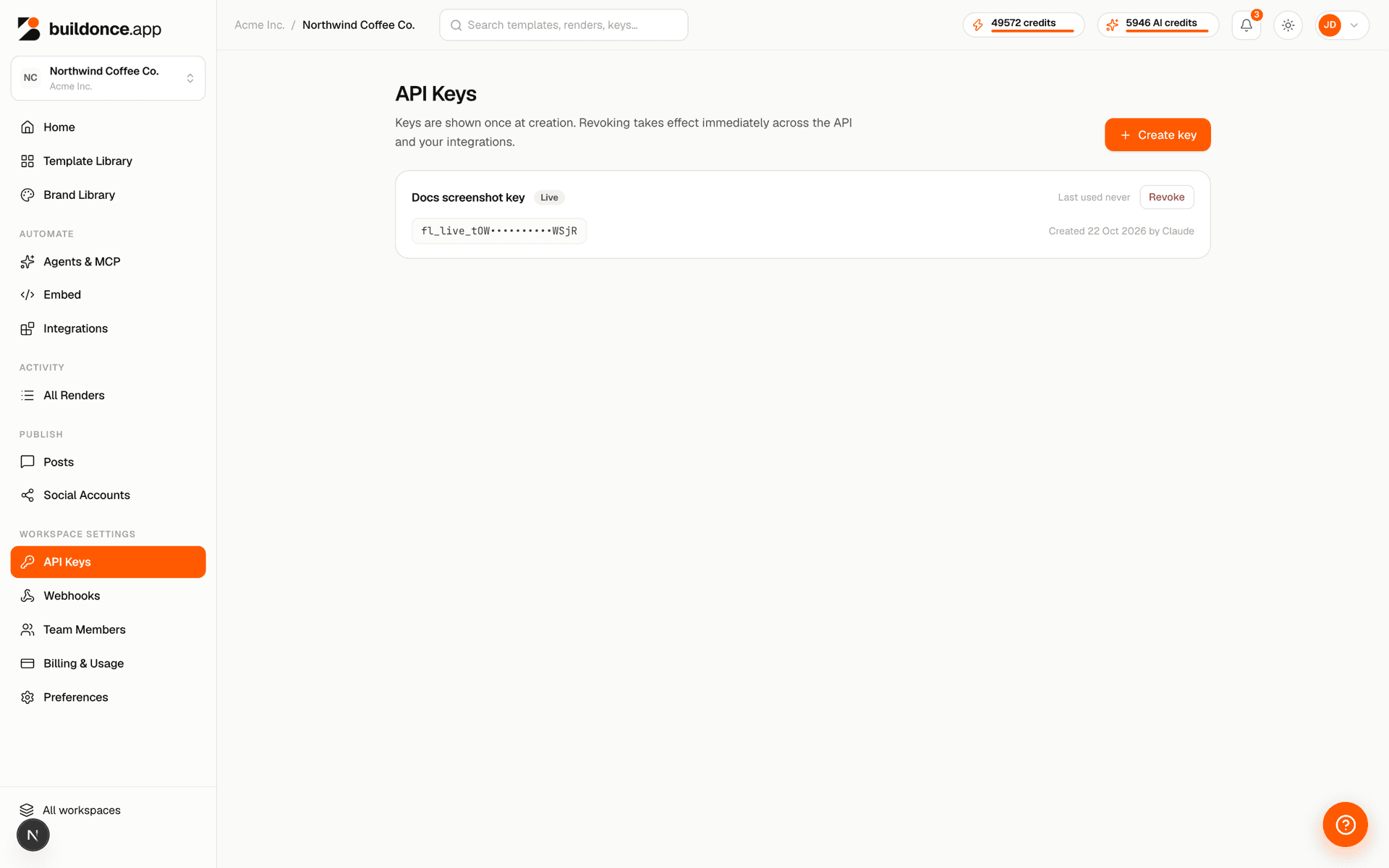
Create a key from Settings → API Keys. The raw key is shown once, at creation — copy it somewhere safe.
A key is bound to exactly one workspace and can never act on another, even if you pass a different workspace id in the request.
Quick start · 2 of 3
Design a template
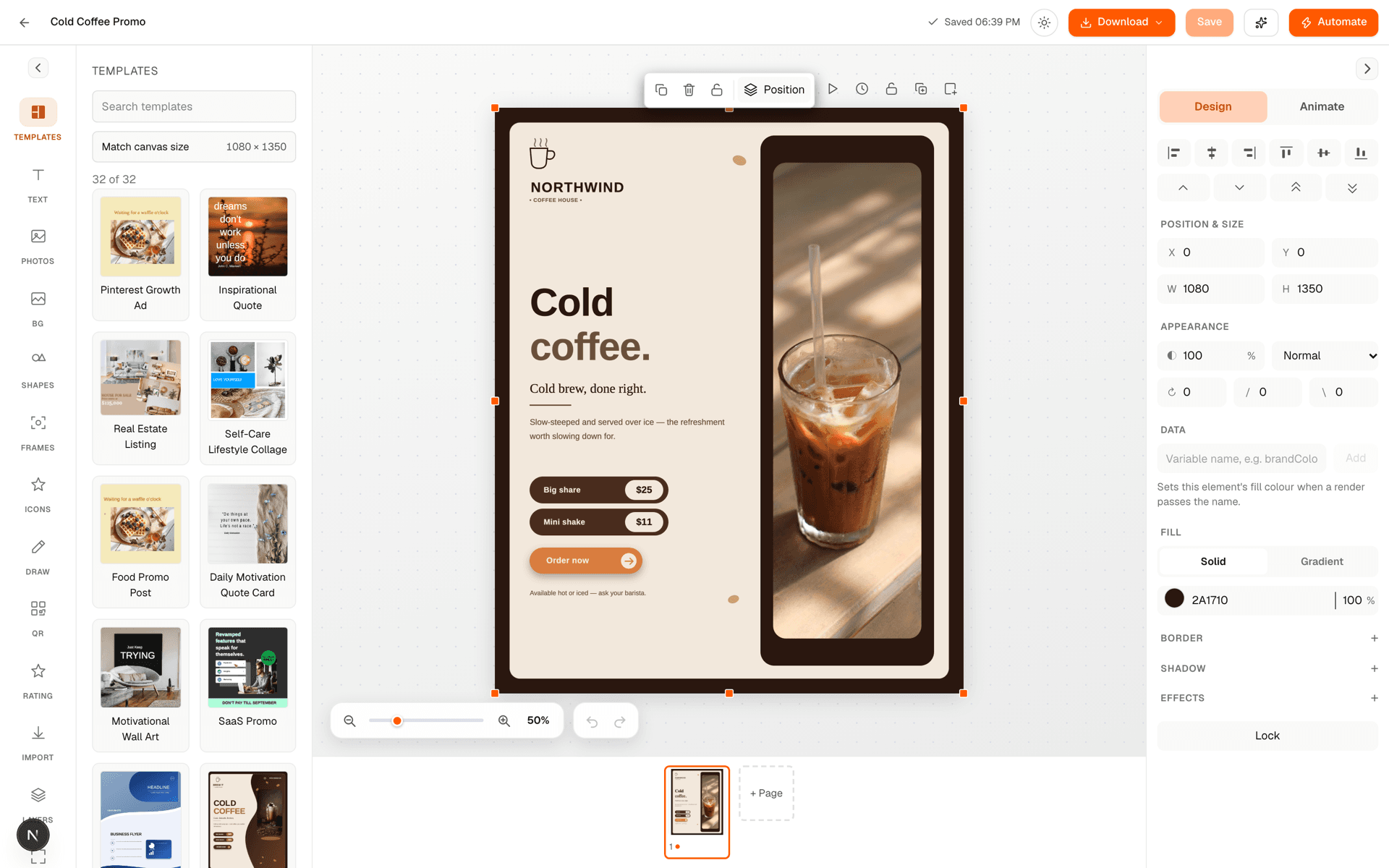
Open the studio and build your design. Give any text, image or color-fill layer a variableName — that name becomes a key you can override at render time without touching the saved design. Copy the template's id from its URL or the templates list.
Quick start · 3 of 3
Render it
Call POST /v1/templates/:id/render with your variable overrides. You get back a hosted URL to the rendered file.
curl -X POST https://buildonce.app/v1/templates/tpl_123/render \
  -H "Authorization: Bearer fl_live_YOUR_API_KEY" \
  -H "Content-Type: application/json" \
  -d '{
    "format": "png",
    "modifications": { "headline": "50% off today" }
  }'
Full parameter and response details are in the API reference.
Was this page helpful?