

AI Design Agent
The AI Design Agent is a chat assistant attached to a template, available from the dashboard at /studio/[templateId]. Each message you send starts or continues a turn: the agent reads and edits the template's draft, searches your brand kit and stock photos, and can restore an earlier version — all through the same dashboard session, not the machine API or MCP.
One template keeps a single, long-lived conversation. Only your messages and the agent's final reply text are kept — tool calls and their inputs are not persisted, so they don't appear in conversation history.
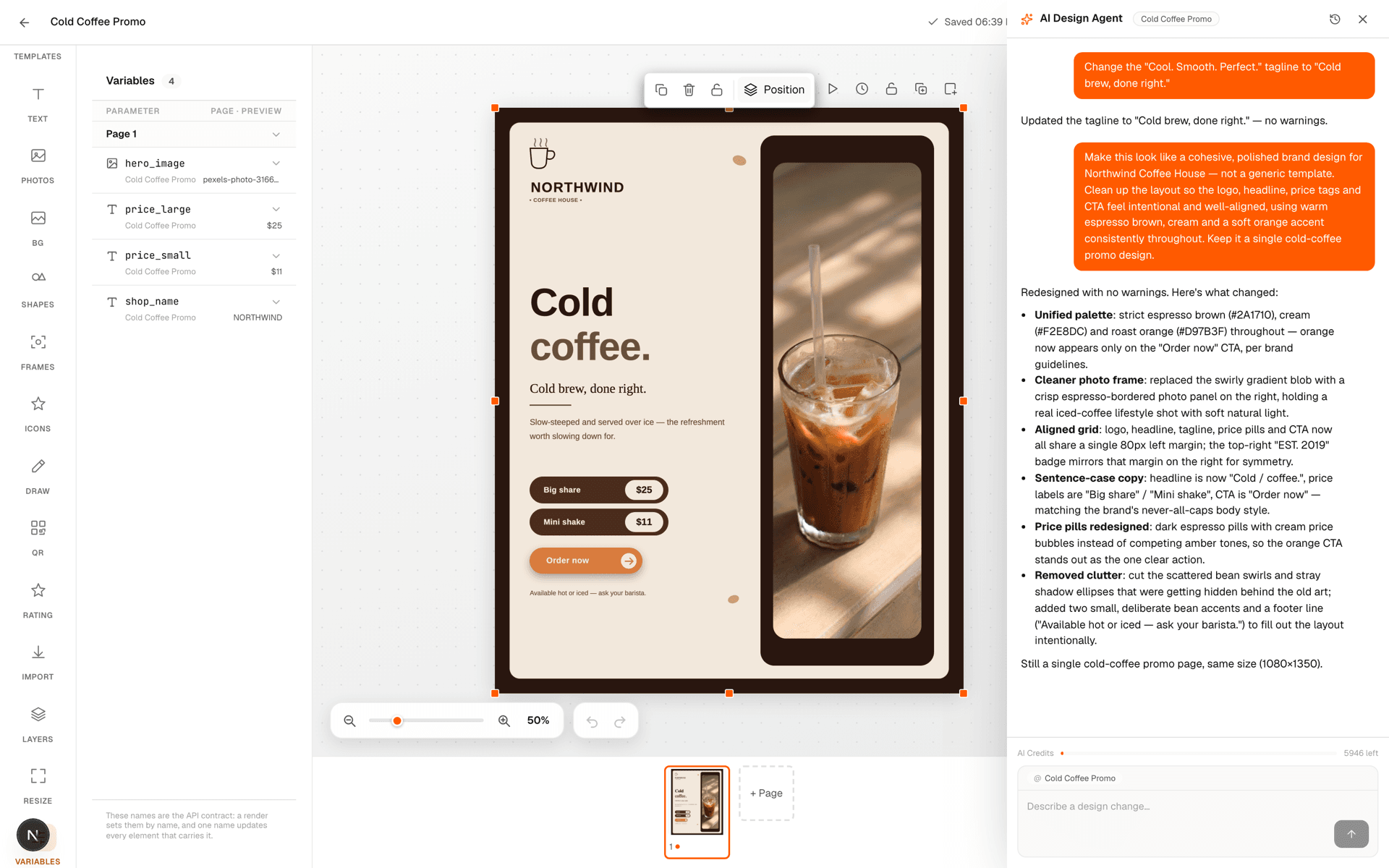
Starting a turn
A turn is a streamed request — the response is Content-Type: text/event-stream, not a single JSON body:
POST /templates/:id/agent/turns

{
  "message": "Make the headline bigger and swap in our logo",
  "conversationId": "conv_123",   // omit to start a new conversation
  "activePageId": "pg_2",         // the page currently open on canvas
  "activePageName": "Page 2"
}
The stream emits one event per line of progress, then exactly one terminal event:
| Param | Type | Notes |
|---|---|---|
| thinking | { text } | A chunk of the agent’s reasoning, streamed as it’s generated. |
| text | { text } | A chunk of the agent’s reply to you, streamed as it’s generated. |
| tool_call | { name, input } | The agent is invoking a tool, e.g. saving a draft edit or searching stock photos. |
| tool_result | { name, ok, changesCanvas } | `changesCanvas` is true when the tool just edited the template’s draft. |
| turn_continuing | {} | The agent is moving on to another step within the same turn — treat this as "still working," not as a pause waiting on you. |
| done | { conversationId, creditsCharged, balanceRemaining } | Terminal. The turn finished normally. |
| error | { code, message } | Terminal. See error codes below. |
What the agent can do
The agent can read and save the template's draft, read your brand kit, search stock photos and the public template catalog, and list, inspect or restore an earlier template version. It cannot render a template — rendering stays behind the render API and its own render credits, so an AI Design Agent turn never charges a render credit, and a render call never charges AI credits.
AI credits
AI Design Agent usage is billed from a separate credit pool from renders. Your plan has its own included AI-credit allowance, tracked independently of your render-credit balance — using up one never affects the other.
A turn needs at least 10 AI credits available to start. If your balance is below that, the stream ends immediately with an error event and nothing is charged:
{
  "type": "error",
  "code": "INSUFFICIENT_AI_CREDITS",
  "message": "A design turn needs at least 10 AI credits to start and you have 4. Upgrade or wait for the next period."
}
Once a turn starts, it is not stopped partway for running low on credits — it runs to completion and is charged for the AI tokens it actually used, based on current model pricing for input, output and cached tokens. If your balance would go negative, the charge is capped at whatever remains rather than declined, and done.creditsCharged reflects the capped amount actually taken.
A turn that fails outright (AGENT_TURN_FAILED) is never charged and leaves no trace in conversation history. An AI_CREDITS_EXHAUSTED error means a concurrent turn drained the balance after this one started — in that case any draft edits the agent already made are still saved, even though the charge for them failed.
Was this page helpful?